Give the Assistant Something Useful to Do
A laboratory assistant should be able to help prepare the work. Find existing ingredients, draft a protocol, assemble a workflow and explain what still needs review. Returning a paragraph that someone has to copy into six different forms only gets us part of the way.
We connected Janus, our custom assistant, to FlaskTrack using Hermes, Ollama and the Model Context Protocol. Hermes supplies the agent runtime. Ollama provides a local model option. FlaskTrack exposes the application operations that the assistant can use.
The useful result is a conversation that can produce application records. Those records still follow FlaskTrack's ordinary permissions, draft states, review and signature requirements.
Keep the Responsibilities Clear
- Janus: our assistant experience, task instructions and application-specific harness.
- Hermes: the conversation and tool-use loop, including MCP connections.
- Ollama: local inference using a model that supports tool calling.
- FlaskTrack: organisation access, validation, records, audit history and execution rules.
In this arrangement, the harness submits a task to Hermes and follows its outcome. Hermes asks its configured model what to do next, executes available tool calls and returns their results to the conversation. Janus does not need to implement a second model-and-tool loop around Hermes.
Ollama's tool-calling support makes local inference usable in that loop. The model proposes a function and arguments; the runtime executes it. The model itself does not acquire a database connection.
Two Ways to Work in Janus
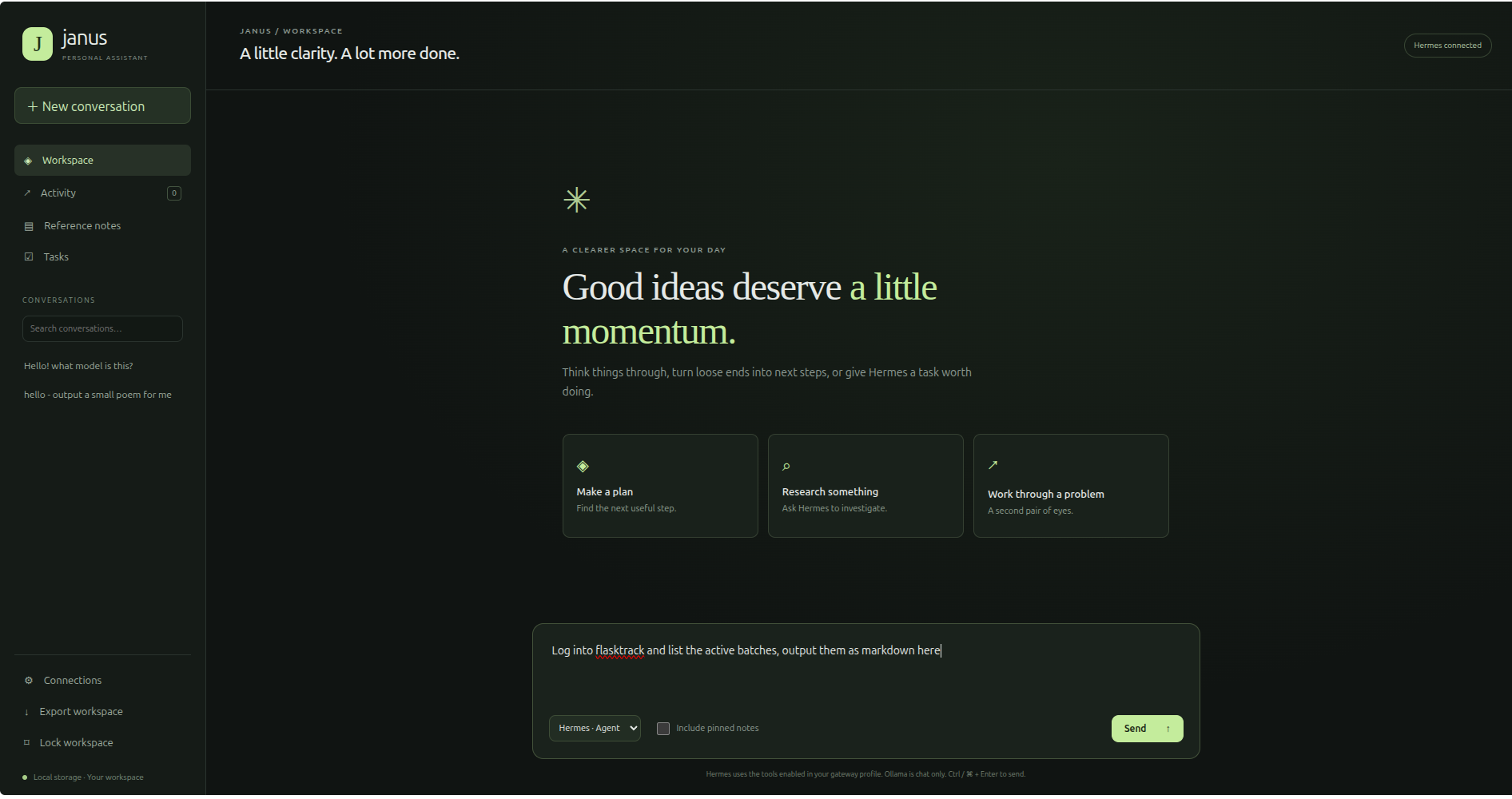
Janus offers a direct Ollama chat mode and a Hermes agent mode. The screenshots below use Hermes · Agent, which has access to the tools enabled in the gateway profile. Direct Ollama chat is chat only in this interface. To use a local model for agent work, configure Hermes itself to use Ollama, as shown later. The screenshots do not identify Hermes's inference provider.
Start with a Real Application API
FlaskTrack already has Rust handlers for laboratory entities and operations. Its API and MCP integration layer provides organisation-scoped access to those capabilities. We expose selected capabilities as tools with names, descriptions and JSON input schemas. Listing ingredients and creating an ingredient are separate operations with different effects. The external-agent guide explains authentication, concrete record IDs and how direct tool calls differ from built-in assistant plans.
Our existing endpoints included /mcp/tools, /mcp/prepare and
/mcp/call. They served our own application, but those route names alone did not
make them a standard MCP server.
We added a JSON-RPC adapter at POST /mcp for initialisation, tool discovery and
tool calls. It reuses the application's tool definitions and executor.
In Axum, the additional route sits inside the router that receives our API authentication
and rate-limit middleware.
Connect Hermes to the Local Services
For development, FlaskTrack runs on port 8080 and Ollama on
11434. The following is an example Hermes configuration for a tool-capable local
model. Choose a model that fits the available hardware and test its tool use against your actual schemas.
# ~/.hermes/config.yaml
model:
  provider: custom
  base_url: "http://127.0.0.1:11434/v1"
  default: "qwen3"

mcp_servers:
  flasktrack:
    url: "http://127.0.0.1:8080/mcp"
    headers:
      x-organization: "${FLASKTRACK_ORGANIZATION_ID}"
      x-api-key: "${FLASKTRACK_API_KEY}"
    enabled: true
    skip_preflight: true
Our adapter handles MCP requests over HTTP and does not provide a standalone GET event stream. The preflight setting accommodates that setup. It does not bypass authentication. Hermes documents its supported options in the MCP configuration reference.
Put the matching credentials in the active Hermes profile's environment file. These names are our configuration choices, referenced explicitly by the header placeholders above.
# ~/.hermes/.env
FLASKTRACK_ORGANIZATION_ID=your-organisation-uuid
FLASKTRACK_API_KEY=your-flasktrack-api-key
This was one of the practical details in our integration: the gateway needed the credentials in its own environment. Values available in an interactive shell were not enough to assume a running service had them.
Check the gateway's HERMES_HOME. Our default profile uses
~/.hermes; named profiles have their own configuration and secrets.
Restart the affected gateway after changing its configuration. Also remember that
127.0.0.1 refers to the process's own machine or container.
Make the Harness Small and Deliberate
A useful harness turns a user request into a bounded task, submits it to the agent runtime and records what happened. It also decides which tools are appropriate for that task. A request to prepare a protocol does not require access to every administrative operation.
Here is the control flow we recommend when building that layer. This is pseudocode, rather than a copy-and-paste Hermes client API:
task = validate_request(user_request)
context = select_relevant_context(task)
run = submit_to_hermes(task, context, permitted_tools, deadline)
outcome = wait_for_result(run)

if outcome is incomplete or uncertain:
    reconcile_with_flasktrack(outcome)

return records_and_review_requirements(outcome)
In a Rust harness, give the gateway client explicit timeouts and retain the run identifier. Keep submitted context focused. Return created record IDs, tool errors and unresolved requirements to the user instead of relying on the assistant's final prose as proof that work completed.
A timeout deserves particular care. A create operation might have succeeded before its response was lost. Check the run and application records before resubmitting a write. Where the API supports idempotency keys, use them consistently.
Prompt for an Outcome and Its Boundaries
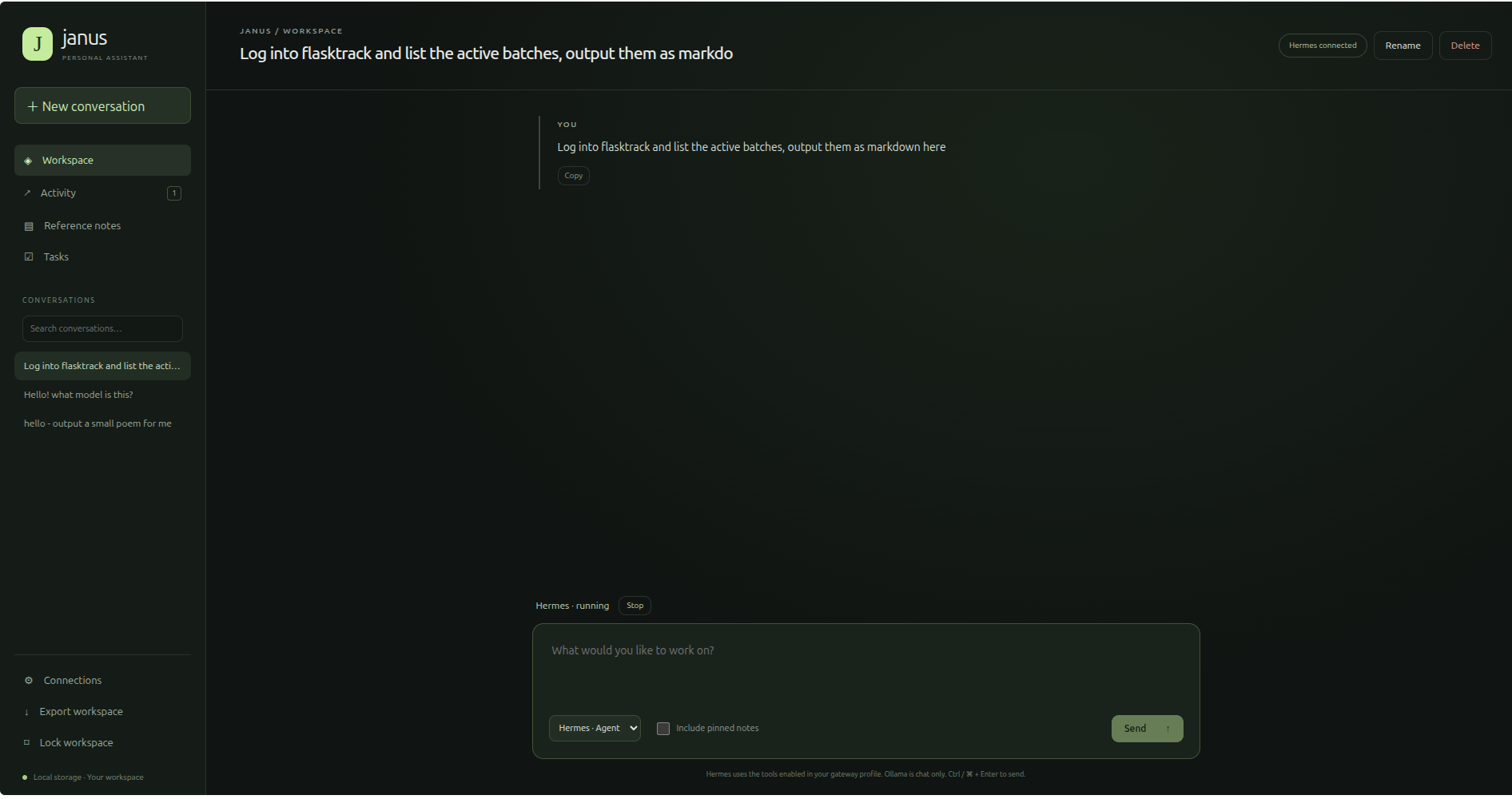
Start by asking Janus to list existing records. Once discovery and authentication work, move on to a small draft task involving versioned protocols and workflows. For example:
Prepare a draft mushroom-cultivation workflow using the approved protocols already in this organisation. Reuse existing ingredients and tools. If a required record is missing, identify it and ask for any required details before creating a draft. Return the record IDs and review requirements. Do not sign, approve or execute anything.
The agent can inspect records, use the returned IDs in later calls and report where preparation stops. A missing protocol or an ambiguous ingredient should become a clear question. An invented UUID or an assumed approval state is not a useful shortcut.
Tool descriptions help here. Describe required fields, allowed values, draft behaviour and the meaning of successful execution. Validate every argument again inside FlaskTrack.
Read Back the Laboratory Record
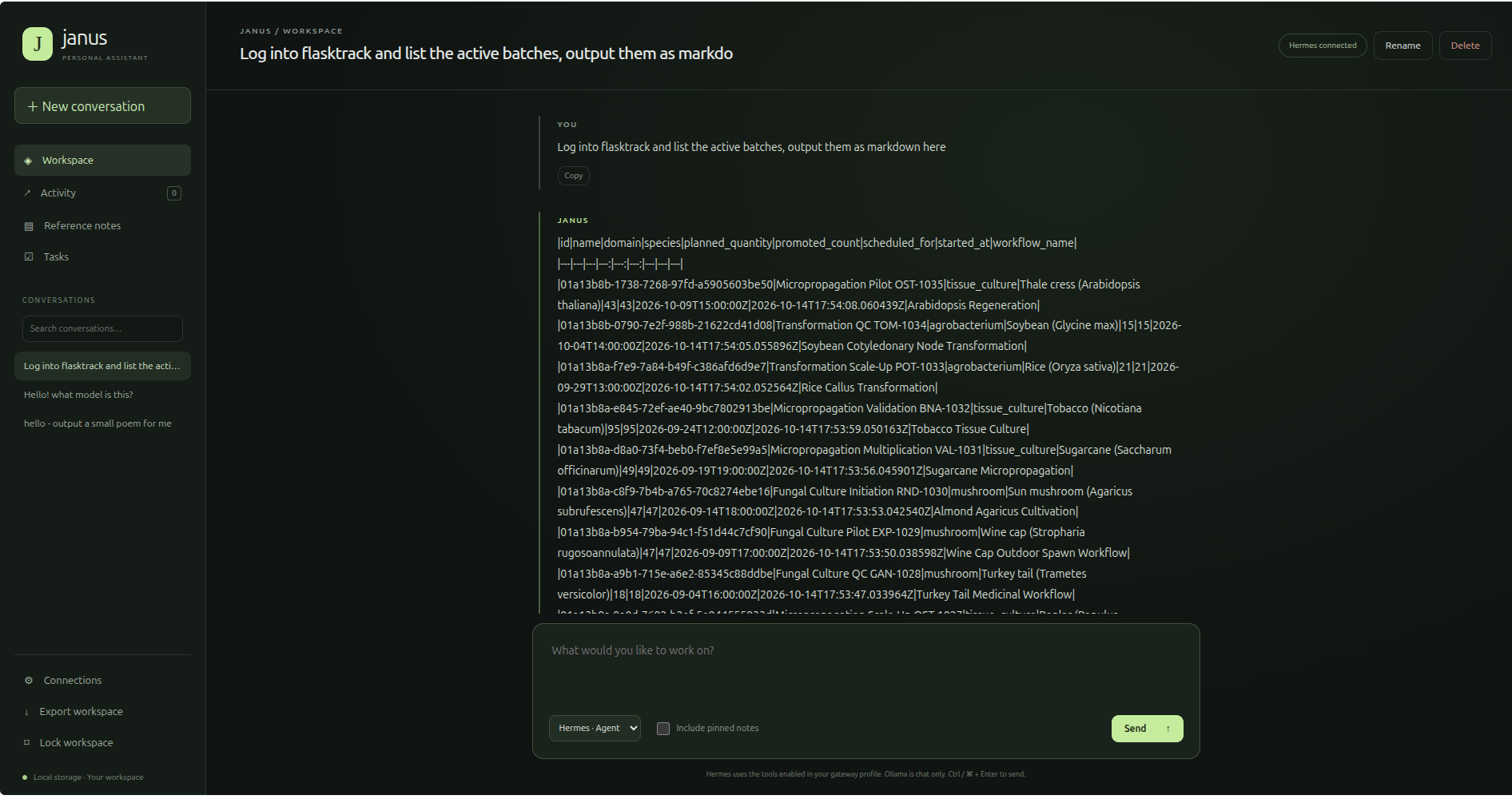
This is a read task, rather than evidence of draft creation or execution. The returned identifiers provide a way to compare the response with FlaskTrack's batch and sample records. Asking for Markdown does not guarantee the client will render a table; this screenshot shows the raw text.
Drafting Can Be Automatic; Signatures Remain Human
We initially restricted the adapter to reading. That was unnecessarily limiting for our workflow: FlaskTrack already has a draft and review process for records that need approval before use.
We can therefore allow selected create and update operations for scaffolding. Janus can help prepare the records; a person reviews and signs them where required. Unreviewed material must wait before it can be used in batch or sample creation.
That boundary belongs in the application. A prompt saying “do not approve” helps communicate the task, but cannot replace a signature check. Tool annotations describe effects; they do not grant permission or enforce review.
Keep signing and approval operations outside the assistant's scaffolding tool set. FlaskTrack must also enforce the same rules when someone calls its API directly. Its AI assistance overview and scientific review guidance describe the wider review process.
Read the First Failure Before Chasing the Fallback
Our setup produced a few instructive errors. A 404 on
POST /mcp meant the running application did not have the adapter route.
A later 401 meant Hermes reached the route but authentication failed.
Hermes then attempted an SSE fallback and reported an unexpected HTML content type. The earlier authentication failure was the useful clue. Changing transports would not fix missing or invalid credentials.
We also encountered an OAuth authorisation attempt from a connector workflow. Our configured server uses organisation and API-key headers, so it needed those credentials loaded correctly rather than a new OAuth client.
Verify the layers separately: local inference, authenticated MCP initialisation, tool listing, a read operation and finally draft creation. A friendly assistant response is not a connectivity test.
Useful Automation Leaves Evidence
The practical value is less copying between screens and more prepared work ready for review. Keep an application audit trail for record changes, and track agent runs separately so a failure can be followed from the original request to the tool result.
Local inference also gives us a choice about where model requests run. It does not automatically make an entire workflow local: remote MCP servers, web tools and trace exports can still move data. Configure those paths deliberately.
We have written separately about observing FlaskTrack's AI workflows with Langfuse. Tracing inside FlaskTrack does not automatically capture a separate Hermes-to-Ollama conversation; that path needs its own instrumentation if we want to observe it.
Janus gives us an assistant tailored to the work. Hermes provides the agent runtime, Ollama serves the model and FlaskTrack remains responsible for the laboratory records. Keeping those responsibilities clear makes the integration easier to build and investigate.
We build custom assistants, application APIs and AI integrations that work with the systems a business already uses. Tell us what you would like to automate.
Happy Hacking!